All your traffic management tools in one workspace
Filtering, smart routing, cloaking, a built-in tracker, click analytics, and fraud protection — all in a single platform.
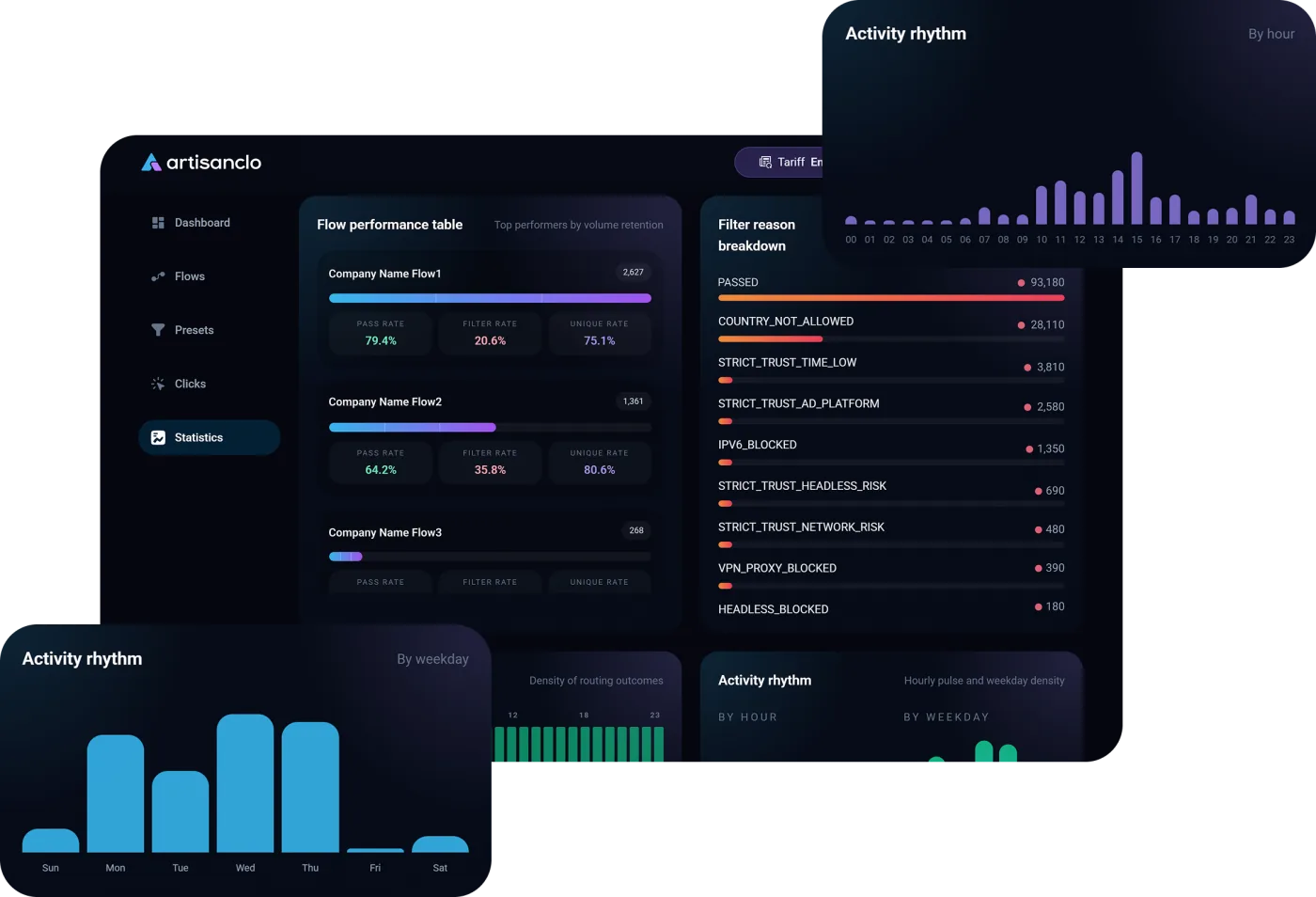
ArtisanClo brings routing, bot filtering, live reporting, and fraud protection into one easy-to-use workspace. You get full visibility into traffic quality, decision reasons, and weak spots without jumping between different apps.
- Less manual guesswork and complete transparency for every click.
- Quickly pinpoint low-quality ad sources, bad proxies, and failing destinations.
- A unified workspace built for team collaboration, analytics, and scaling.
Traffic flow setup
Build flows of any complexity, set destination priorities, and define your own filters.
Anti-fraud filters
Catch suspicious clicks instantly, including VPNs, proxies, datacenter IPs, and bot crawlers.
Live click analytics
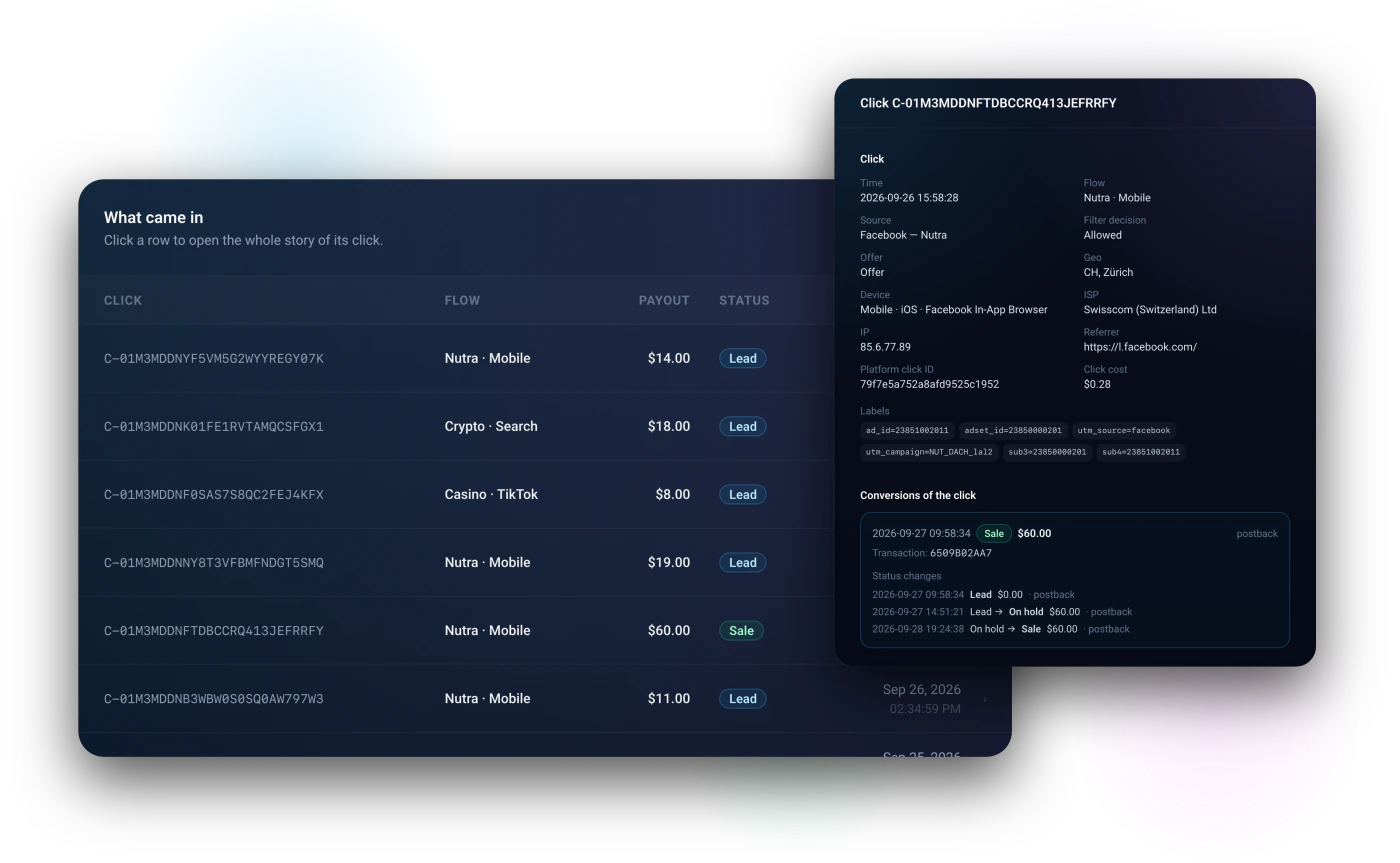
Watch live traffic feeds, inspect individual clicks, and export reports across the history your plan opens: 30, 60 or 180 days.
S2S postback tracking
A single postback endpoint for your whole account: conversion data automatically matches back to its original click.
Reusable filter presets
Save a combination of checks once and apply it to any new flow in seconds.
Custom flow schedules
Automatically toggle filters on or off by hour or weekday to match your traffic schedules.
Instant Telegram alerts
Get notified in Telegram right away about reviewer spikes, offers going down, or caps being hit.
Responsive support
Fast technical support for teams of any size — from your first flow setup to high-volume campaigns.
One flow — three modes
Each flow picks its own mode. One campaign runs through the cloak, another through the tracker only, a third through both at once.
- Mode 1
Cloaking
The filter decides: bots and reviewers go to the White Page, real people go to the offer.
- Mode 2
Tracker
Everyone goes to the offer. We count clicks, conversions, spend, and profit, and only flag bots in reports.
- Mode 3
Cloaking + Tracker
Best of bothThe filter screens traffic, and we track the money on what gets through: sources, click cost, branches, pre-landers.
Everything for tracking — in the same dashboard
Sources, networks, tokens, spend, conversions, and reports live right next to your filter settings.
- 181
- Traffic sources
- ready-made templates
- 316
- Affiliate networks
- ready-made templates
- ∞
- Sub tokens
- no limit
- 3
- Report levels
- in the report builder
Unlimited tokens
Not ten subs like many trackers, but as many as you need, plus any ad-link parameter. Every token becomes its own report dimension with profit and ROI.
Click cost and payout models
CPC, CPM, cost from a link parameter, CPA, and RevShare per source. Spend is recorded on every click.
Spend import
Spend from Meta, TikTok, and Google ad accounts is pulled on a schedule and split across campaigns and flows automatically.
Conversions with statuses
Lead, hold, sale, rejected. A hold isn't counted as revenue until the network confirms it, and the full status history is kept.
Source postbacks and CAPI
Conversions go back to the traffic source, Meta Conversions API, TikTok Events, and Google Ads — on behalf of your own account.
Branches and pre-landers
Split a flow's traffic into rule-based branches, add pre-landers, and split-test offers with sticky visitors.
Profit-driven autopilot
Split tests are checked for statistical significance, and the autopilot shifts weight to the offer that earns more per visit.
Report builder
Grouping levels: source, GEO, offer, landing page, device, sub tokens. One level on Starter, two on Professional, three on Business. Save reports — and from the Professional plan up, pull the numbers via API.
Why Teams Choose ArtisanClo
Designed for teams that need reliable, high-speed traffic control with complete transparency.
Clear reason codes, not black-box blocks
Know exactly why traffic was allowed, blocked, or redirected with detailed decision codes.
High-speed decisions
All checks run instantly inside the flow, without slowing the site down for real visitors.
All-in-one workspace
Cloak, tracker, and analytics in one platform instead of a messy stack of disconnected tools.
A connection address you can rely on
The script connects from an address assigned to your account, and all your flows work through it. We keep a constant watch on the reputation of our addresses so that other people’s blocks don’t get in the way of your campaigns.
Early warning on reviewer spikes
We monitor reviewer activity across the network in real time and warn you before a review wave reaches your ads.
Automated campaign shield
When reviews are active, your flow raises a shield automatically if you've turned on auto-shield, and lets only verified real traffic through.
Automated rule audits show you what to fix
Stop guessing which filter is cutting real visitors. Flow audits test your past traffic against rule changes and calculate the exact impact.
Actionable results, not confusing charts
Every recommendation shows exact visitor counts, dollar impact, and a one-click button to apply changes.
See the result before you apply
Every recommendation is worked out by replaying your own traffic through the changed setting, so you see how many visits and how much money it's worth before you apply it.
Always up to date
The audit covers the last 7 days and recalculates itself every 30 minutes. Just changed a flow? Hit Recount instead of waiting.
Multi-user team access with custom permissions
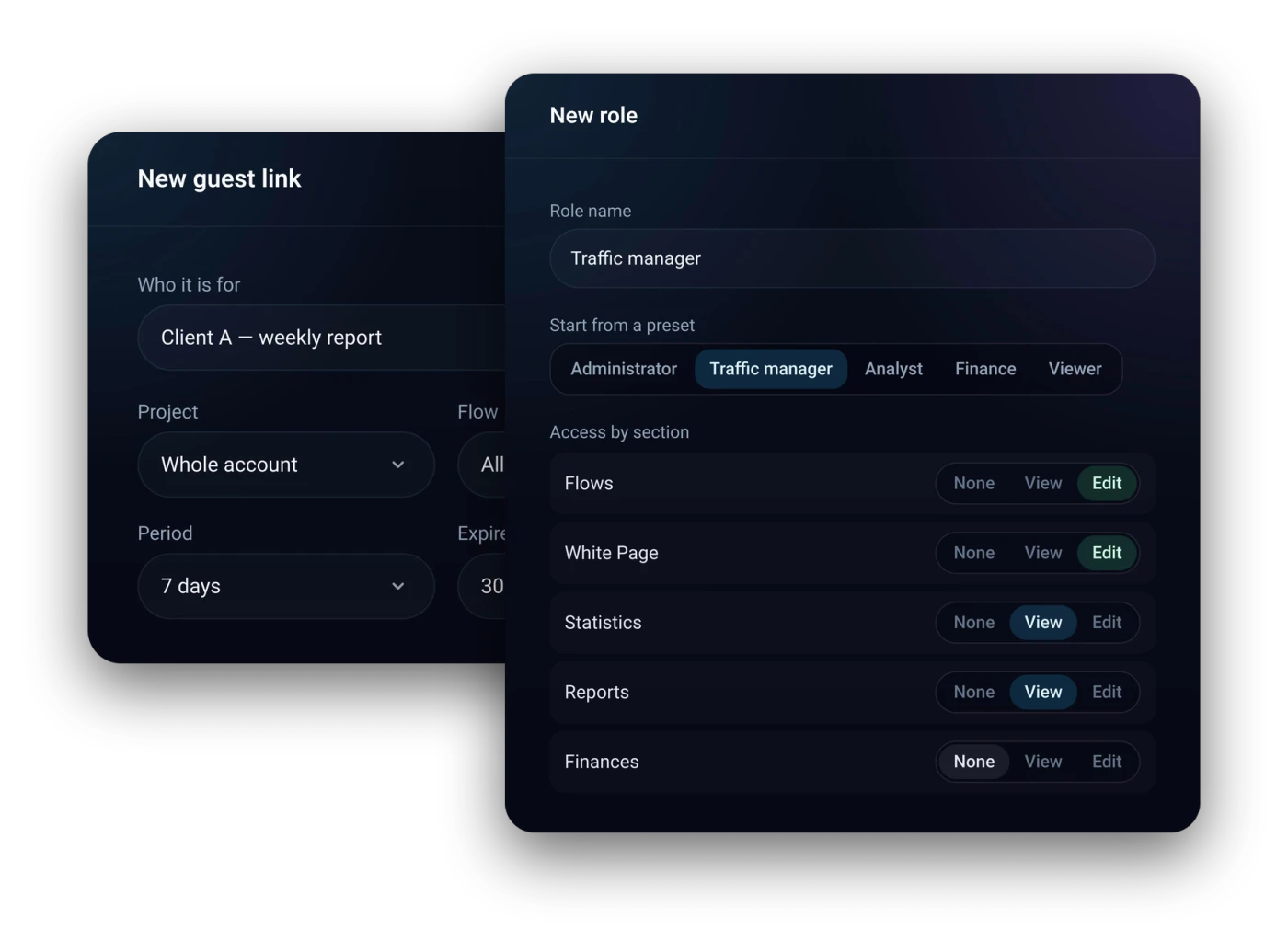
Managers set up flows, team members view reports, and clients get a simple report link — no dashboard access needed.
User roles instead of shared passwords
Custom roles with per-section rights: no access, view or edit. The team is managed by the owner or by anyone whose role allows it.
Shareable client reports
Send clients a clean traffic report link that hides your filter rules, click logs, and billing info.
Secure authentication
Two-factor sign-in, an overview of active sessions, and separate API tokens.
A filter that learns from your buyers
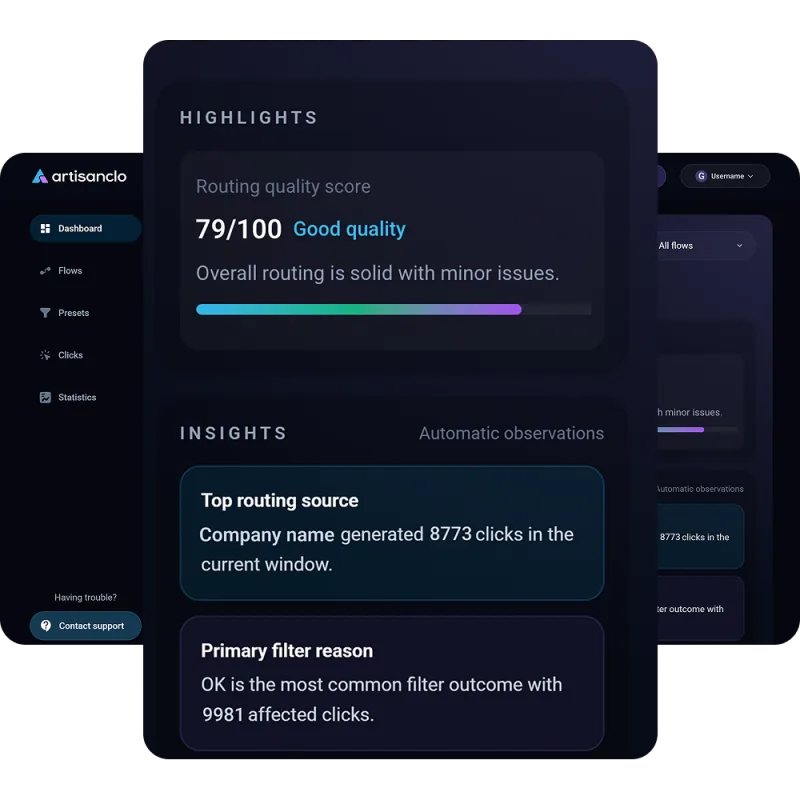
Send conversions to ArtisanClo and it learns what your paying visitors look like. Smart protection, review radar and autopilot work on top of your rules and always show why they act.
What it does for you
- —Learns from your own conversions: after 25 paid visits smart protection starts telling buyers from bots
- —Spots review waves on ad platforms and can raise the shield on its own
- —Flow audit shows what to fix and how much money each setting costs you
- —Replays past visits through your current settings
- —Every cut visit gets one of 83 reasons in plain words
You stay in control
- ✗Smart protection only adds strictness and never lets through a visit your rules blocked
- ✗The autopilot works only when you turn it on, makes one change at a time and never touches targeting
- ✗During a platform review the autopilot never loosens filtering
Before you turn smart protection on, the dashboard shows what share of traffic it would hold back.
Test it on your own live traffic
Create a flow, enable your filters, and see exactly which clicks get filtered out and why.